
Add the Customer
Capture contact information and start a clean customer record from the first conversation.
Project Hive CRM helps contractors manage customers, track every job, build professional proposals, store project documents, and collect signed contracts online—without piecing together multiple apps.
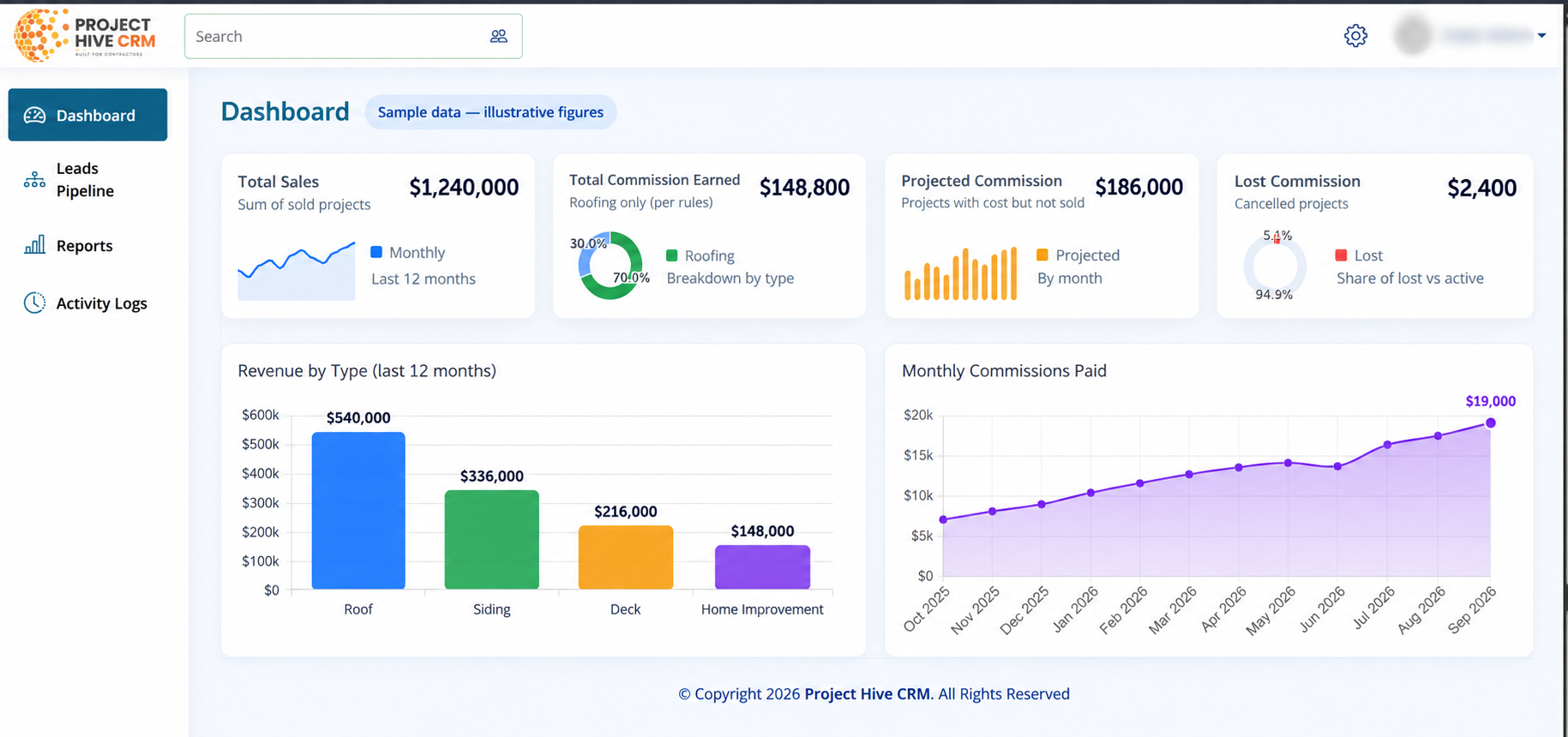
Project Hive keeps the sales and job process connected, so your team always knows what happened, what is next, and where to find the paperwork.
Capture contact information and start a clean customer record from the first conversation.
Track the project through your workflow with clear job stages, notes, photos, and files.
Build a professional scope and price, then send it to your customer for review.
Let the customer sign online and keep the completed agreement attached to the job.
Replace the labeled visual placeholders below with screenshots from the live Project Hive system. Each screenshot should prove the feature described beside it.
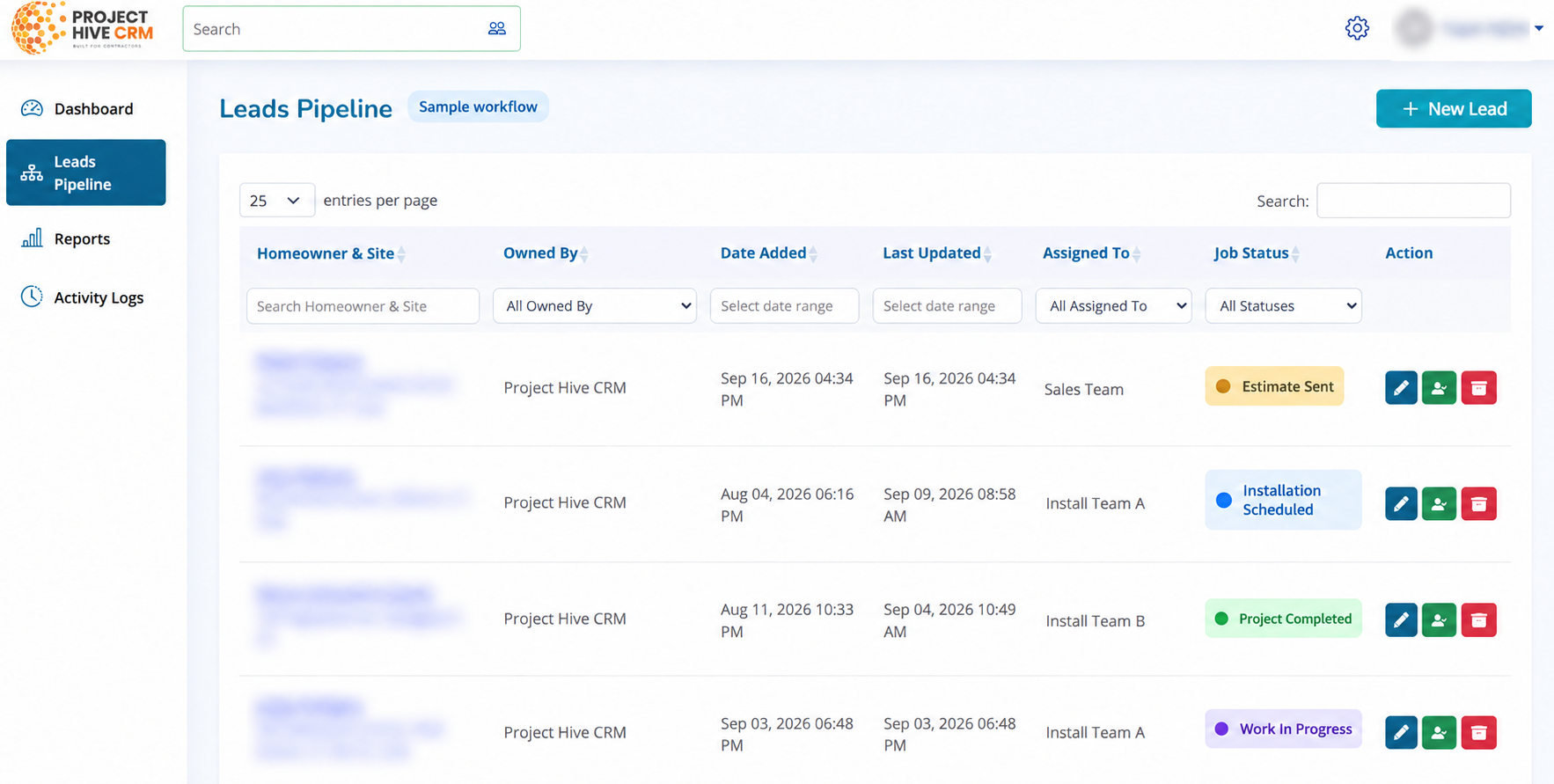
See your active workload in one place instead of asking the office, checking a spreadsheet, or digging through messages. Move jobs through your process and quickly identify what needs attention.
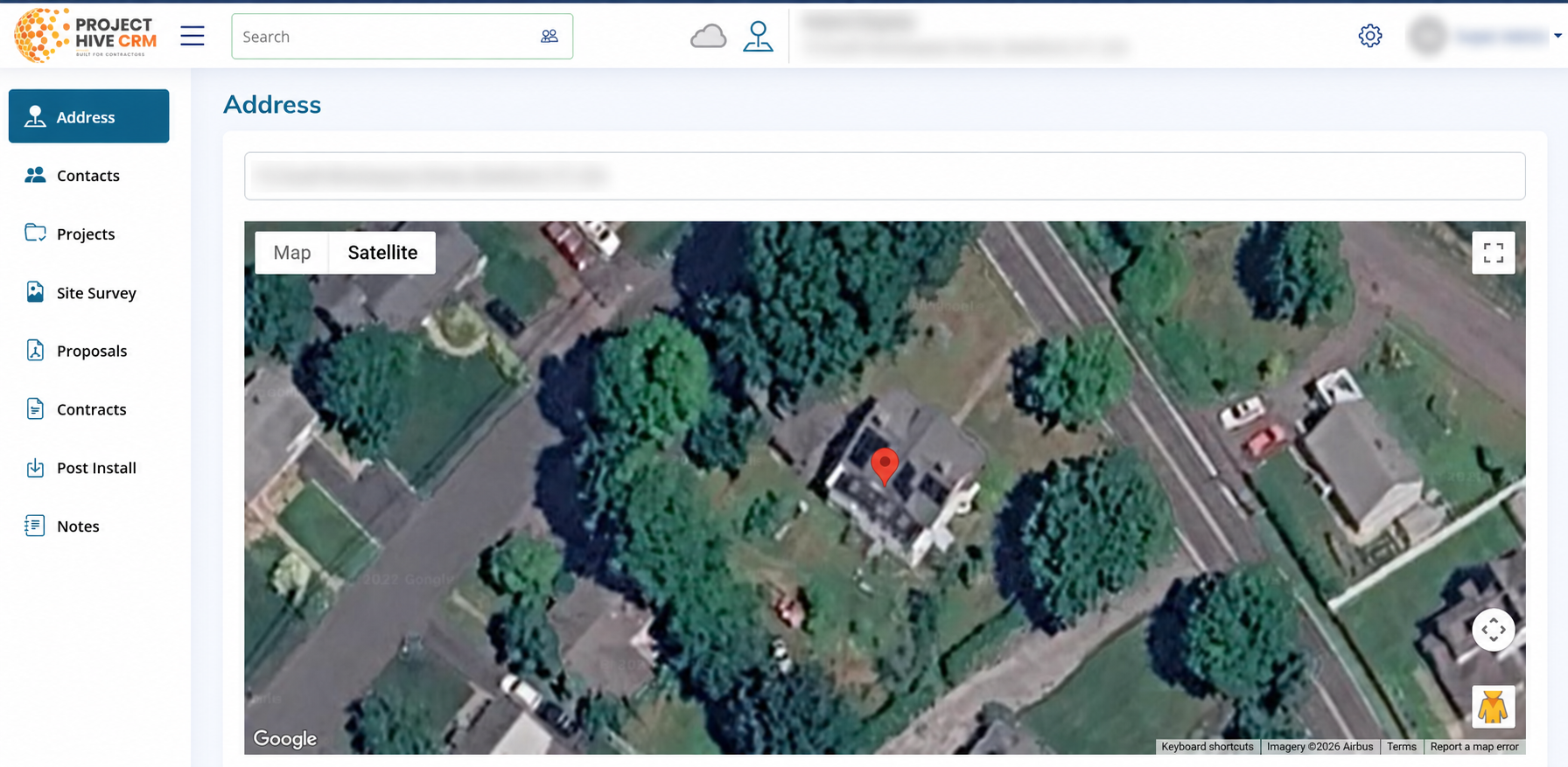
Give your team one dependable record for every customer. Contact details, related jobs, notes, uploaded files, and important activity stay organized instead of being scattered across different devices.
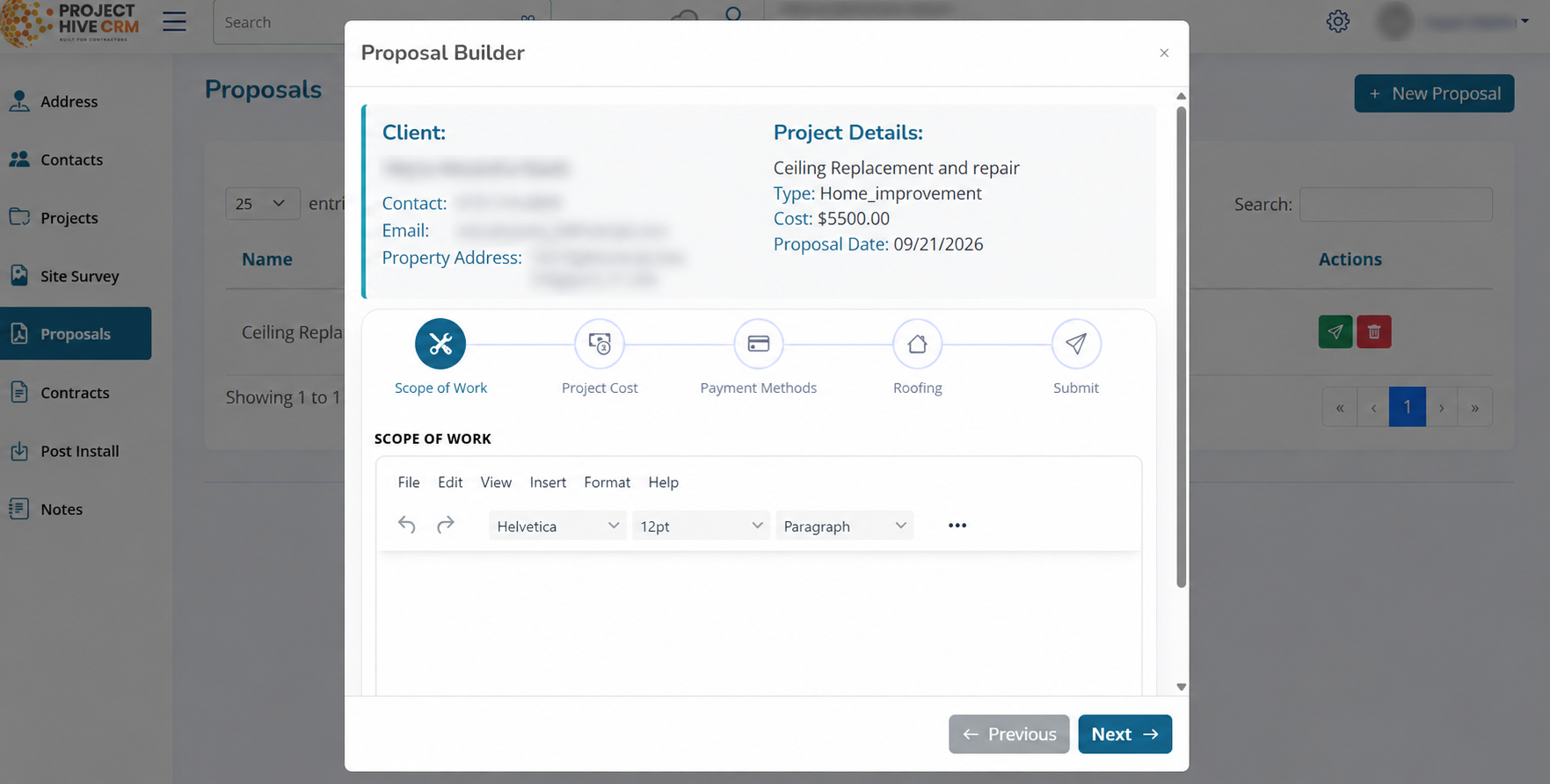
Turn job details into a clear, customer-ready proposal. Present the scope, pricing, and agreement in a consistent format that helps your business look organized and ready to work.
Customers can review and sign their agreement online. Your team can see the contract status and keep the signed document with the customer and job record—without chasing paper copies.
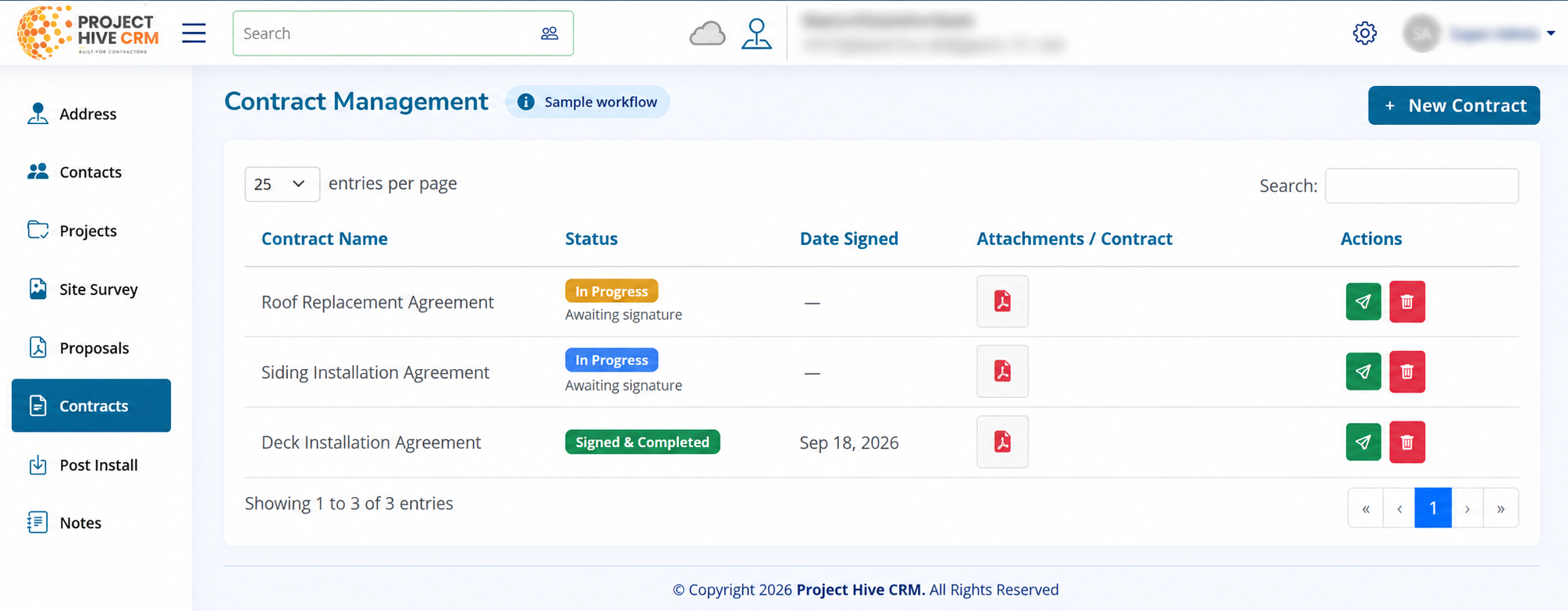
Add notes, progress updates, photos, and attachments as the work moves forward. When a question comes up later, your team can find the project history without relying on memory.
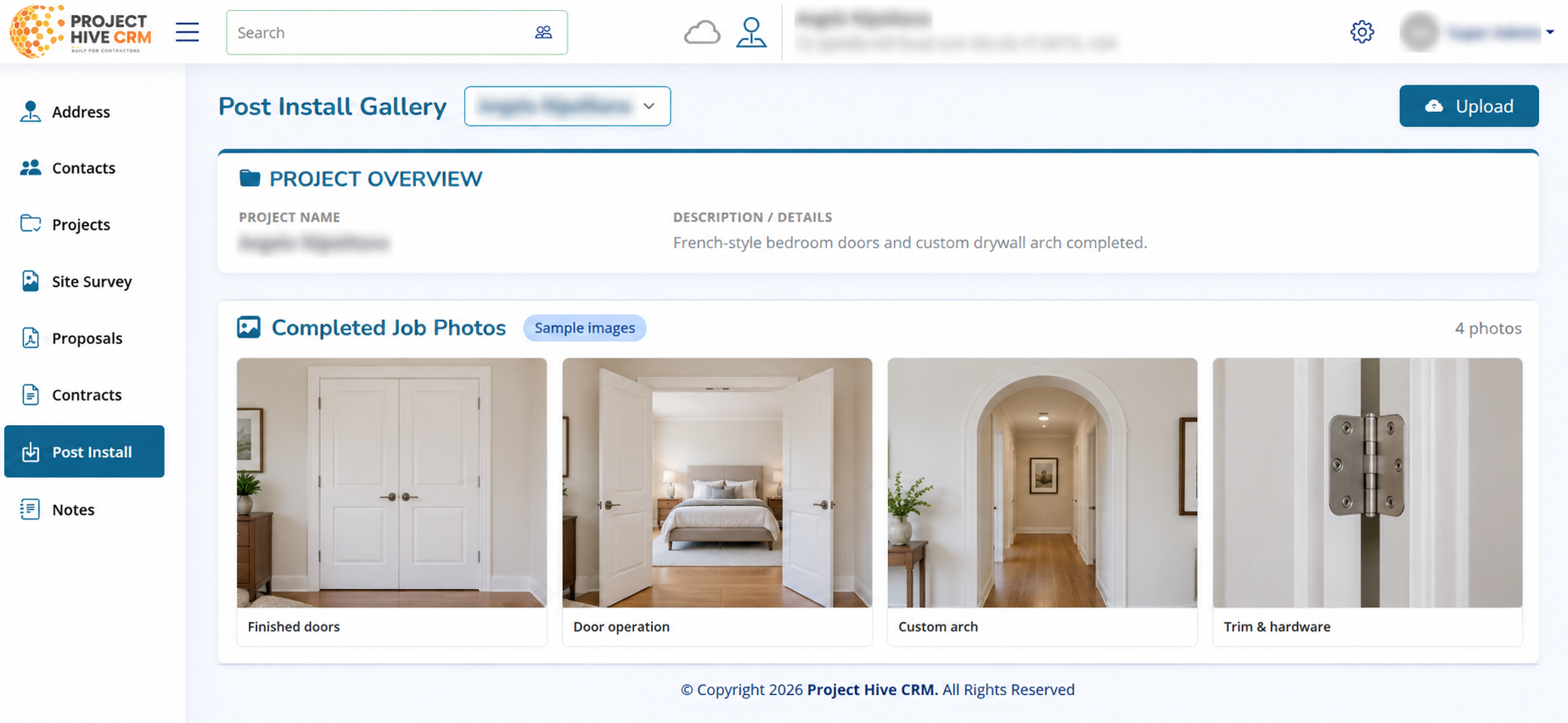
Project Hive is designed to help owners and teams create a repeatable process without making everyday work feel complicated.
Understand which jobs are active, what stage they are in, and where follow-up is needed.
Keep customer details, documents, notes, and agreements organized for future reference.
Reduce repetitive admin work and stop rebuilding the same documents for every opportunity.
Give your team a consistent way to move customers from first contact to completed job.
Send organized proposals and contracts that reinforce confidence in your company.
Use one focused system instead of forcing your team to maintain several disconnected tools.
Use Project Hive for the jobs and service work your company already performs.
Book a live demo and walk through the system using the kind of workflow your company already follows. After the demo, you can move directly into a free trial and test it with your own team.
These answers are written conservatively. Update any operational details once your onboarding, plan limits, and trial terms are finalized.
Project Hive is designed for construction and service contractors who need to manage customers, jobs, documents, proposals, and signed agreements in one organized system.
Yes. Project Hive includes an online contract-signing workflow so customers can review and sign an agreement electronically.
Yes. The system is designed to keep job-related notes, progress updates, photos, attachments, customer details, and agreements connected to the job record.
No. You may go directly to the hosted application to begin, but a demo is recommended when you want help matching Project Hive to your current sales and job process.
The hosted system is available at app.projecthivecrm.com. The buttons on this page link directly to that application.
Book your Project Hive CRM demo, see the full workflow, and continue into your free trial when you are ready.